
What is required for offline use?
Internet access is needed to download model files initially. After installation, local inference does not need a cloud API key or a per-request API service. Downloading an update or an additional model still needs a connection.
- macOS 14 or later and Apple silicon for built-in inference.
- An explicit download of each speech or text model you intend to use.
- Enough storage and memory for the models you select. Each model lists its real download size, which does not describe total memory use.
- A rule that selects a local model for every processing step, including optional dictation cleanup.
Speech and text use different models
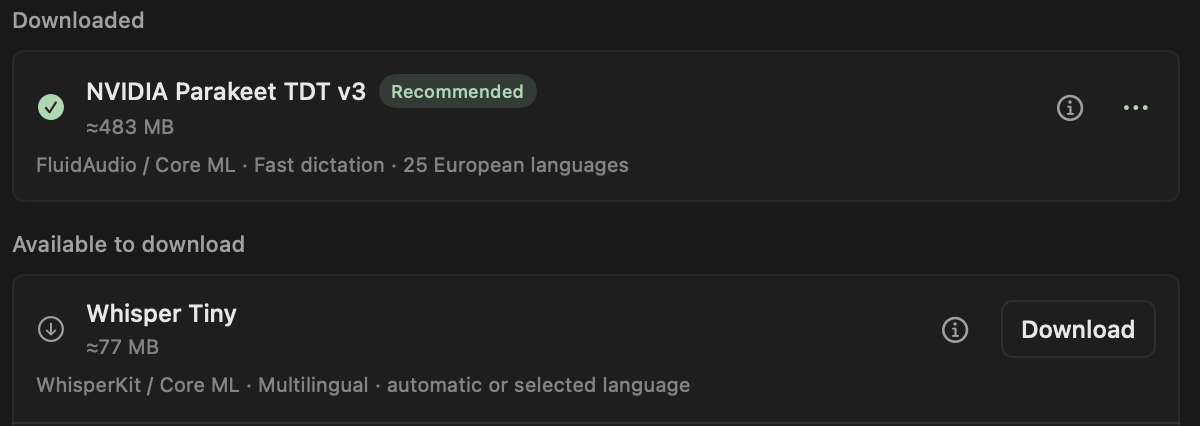
Speech models turn microphone recordings into text. The catalog includes Whisper models through WhisperKit/Core ML and Parakeet models through FluidAudio/Core ML. Text models rewrite writing or clean up a transcript using MLX.
The text catalog includes Qwen3, Llama 3.2, and Gemma 3 variants in compatible MLX formats. The setup assistant’s recommended local pair is Whisper Large v3 Turbo for speech and Qwen3 1.7B (4-bit) for text. An older Turbo conversion you installed or selected before stays available as Whisper Large v3 Turbo · earlier build. The model information panel identifies the source, runtime, and available license details.
Download and use an internal model
Downloaded files are stored under ~/Library/Application Support/Frog/Models/ by default. Storage, below the model list, shows the folder and how much the downloaded models use, with Choose folder…, Use default, and Show in Finder. Model weights are device-local and are not included in JSON configuration exports.
Models stays in the lower sidebar even when Writing or Dictation is disabled. Disabling a feature does not delete its downloaded weights. Memory lists the models in memory and offers Unload now when they are not busy.
- Open Models and choose Local models. Providers is the separate tab for connected services.
- Find a speech or text model and select Download. Frog downloads the weights only after this action. While they arrive, the row shows the bytes so far, the speed and about how long is left, and says when the download has stalled.
- Open Writing or Dictation, edit the rule that should use the model, and select it.
- Run the rule. Models load on demand and unload after the delay set in Unload idle models, under Memory below the model list, or sooner when macOS runs short of memory.
Disk space, model folders, and repairs
Before a download starts, Frog checks that the disk of the model folder has room for the model and a small spare, counting what the downloads already running still have to fetch. When it does not fit, Frog refuses the download and says how much space the model needs and how much is free. A resumed download needs room only for what it has not fetched yet.
Each downloaded row shows the space its folder takes, and the Downloaded list adds them up. Frog does not move downloads. When you choose another folder while models are downloaded, it asks first: it says how many models stay in the current folder and the space they use, and that it will list only the models in the new folder. Choose the earlier folder again to use them.
A text or Parakeet download counts as finished only once the files its runtime needs are there; otherwise the row stays partly downloaded and names what is missing. Check files in a downloaded model’s menu finds missing or damaged files and offers Repair, which fetches them again into the same folder. If a repair fails or is cancelled, the row still names what the model lacks and offers Repair. When a downloaded model does not load, its error suggests Check files.
Can I add another model?
Frog supports adding compatible public Hugging Face model sources. Checking a source fetches repository metadata, including the size of each file, and, for text models, configuration information; downloading the weights is a separate action. The added model shows its download size. For a source added with an earlier version of Frog, check it again and choose Show model to save its size.
Custom text models need supported MLX formats and architectures. Custom Whisper models need complete WhisperKit Core ML bundles. Raw PyTorch, GGUF, and arbitrary NeMo files are not interchangeable with those formats. Use the source documentation for exact supported formats and model provenance.