FreeClipboard, snippets and scripts without a Powerpack
A free, open-source Alfred alternative with the Powerpack features included
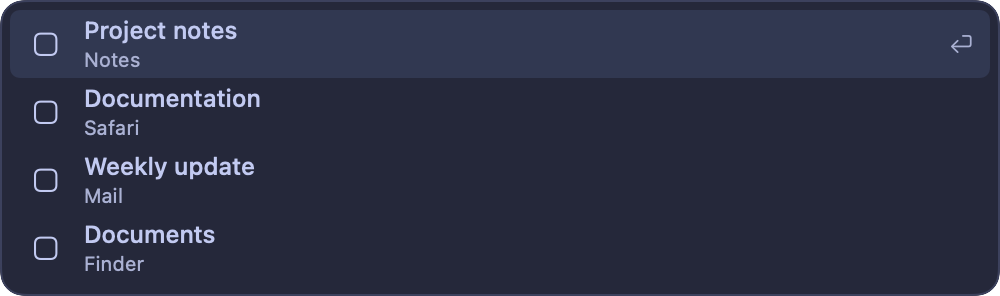
Frog’s command bar opens with Control–Option–Space and finds apps, open windows, files and macOS settings, calculates and converts units. Clipboard history, snippets and scripts are part of the same free app, so there is nothing to unlock. Frog is open source under the MIT license.
- £0Alfred’s Powerpack is £34, or £59 for lifetime upgrades.
- MITThe full source is on GitHub.
- Local AIRewrite and dictate with models on your Mac.
Frog vs Alfred and its Powerpack
Alfred’s free launcher is fast. Most of what people love about it sits behind the Powerpack.
| Feature | FrogFree | AlfredFree | Alfred + Powerpack£34 or £59 |
|---|---|---|---|
| Price | Yes: Free | Yes: Free | No: £34 one-time, £59 lifetime |
| Open source | Yes: MIT | No: No | No: No |
| Launch apps, find files and settings | Yes: Yes | Yes: Yes | Yes: Yes |
| Clipboard history | Yes: 100 text items, memory only | No: No | Yes: Yes |
| Snippets | Yes: Notes that paste with date, time and clipboard | No: No | Yes: With auto-expansion |
| Run your own scripts | Yes: Shell scripts from the command bar | No: No | Yes: Workflows |
| Window snapping and switcher | Yes: Built in | No: No | Partly: Through workflows |
| AI writing and offline dictation | Yes: Local models or your own key | No: No | No: No |
| Settings sync | Yes: Text files you sync yourself | No: No | Yes: Synced folder |
What Alfred’s Powerpack unlocks, Frog ships with, plus tools Alfred doesn’t have.
Search apps, windows, files and settings
Type in the command bar to launch or focus an app, jump to one specific window, open a file by name from the Spotlight index, or go straight to a System Settings pane. Search runs on your Mac and never goes to an AI model. Frog can learn which result you pick for a query, and keeps that in a private local file.
What Alfred’s Powerpack adds is included
- Clipboard history: the last 100 copied text items, searchable with Shift–Command–V.
- Snippets: Markdown notes that paste from the command bar with the date, time and clipboard filled in.
- Scripts: your own shell scripts, run from the command bar with a timeout.
- Window layouts: type a layout name such as Left half to arrange the front window.
- Uninstall: type uninstall and an app’s name to review its leftovers before they go to the Trash.
Workflows become plugins
Alfred has years of shared workflows, and that library is where it is clearly ahead. In Frog you describe what a workflow should do and your coding agent builds a plugin for it, with command-bar commands and a shortcut of its own. Plugins other people shared are in the plugin directory.
Trying Frog next to Alfred
Frog’s command bar uses Control–Option–Space, so it does not clash with Alfred’s usual shortcut. Turn on only the tools you want in Features and move one habit at a time. Settings live in readable text files you can keep with your dotfiles.
Try Frog next to Alfred
- Frog’s command bar uses Control–Option–Space, so it never fights Alfred’s shortcut.
- Copy your favourite snippets into Frog Notes, and your scripts into Frog Scripts.
- Use both for a week, then keep the one your hands reach for.
Questions
Can Frog run Alfred workflows?
No. Frog has its own plugin format. Your coding agent can build a Frog plugin from a description of what the workflow did.
Does Frog search file contents?
No. File results match names from the Spotlight index after two characters; contents are not searched.
Does Frog expand snippets as I type?
No. Frog’s snippets are notes you paste from the command bar, with the date, time and clipboard filled in. Alfred’s Powerpack can expand snippets as you type, so keep it if you rely on that.
Get the free Alfred alternative
Clipboard history, snippets, scripts and a fast launcher, with nothing to unlock.