FreeYour text and voice stay on your Mac
Offline AI on your Mac: private writing and dictation
Frog runs AI models inside the app on Apple silicon. Once a model is downloaded, you can rewrite text, ask about a selection and dictate without a connection, and the text never leaves your Mac.
- Offlinewriting, Explain and dictation once a model is downloaded.
- 0 keysneeded: local models need no account or API key.
- Your pickOr use Ollama, LM Studio, OpenAI, Claude or Gemini.
Offline AI on your Mac: private writing and dictation: what you get, in detail.
Which local models Frog uses
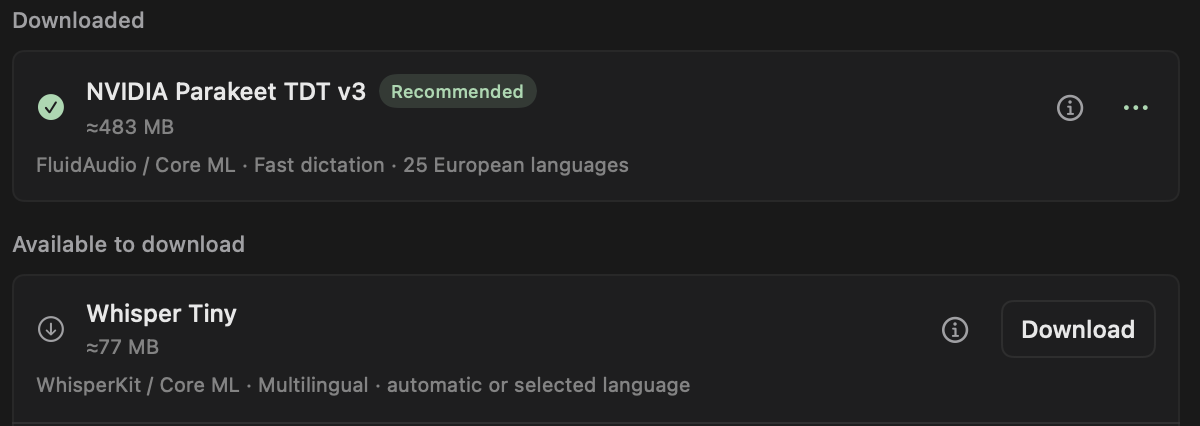
Speech and text use different models. Dictation runs Whisper or Parakeet; writing rules and Explain run small instruction models such as Qwen, Llama or Gemma in 4-bit versions sized for a laptop. You download each model explicitly, and Frog shows its size and where it is stored.
Rewrite and proofread selected text
A writing rule is an instruction with a shortcut: fix grammar, make an email shorter, translate, or turn notes into a list. Select text in an app, press the rule’s shortcut, and Frog puts the result in place of the selection, with a copy on the clipboard. Explain answers a question about the selection in a panel beside it, without changing the text.
Speech-to-text without the cloud
An audio rule records while you hold its shortcut, or until you press it again, and pastes the transcript into the field you are typing in. With a local speech model, recording and transcription stay on the Mac. A rule can keep your exact words or pass the transcript through a text model to clean it up.
Local by default, cloud when you choose
Each rule picks its own model. Keep private work on a local model and send a long document to a cloud model when you want a larger one. Frog also connects to Ollama and LM Studio on your Mac, and to OpenAI, Claude or Gemini with your own key, which stays in the Keychain.
Questions
Does Frog’s AI work offline?
Yes, with built-in local models on Apple silicon. After the one-time download, local writing rules, Explain and dictation need no connection.
Which Mac do I need for local AI?
A Mac with Apple silicon on macOS 14 or later. Intel Macs can use Ollama, LM Studio or a cloud provider instead.
Is my text sent anywhere?
Not with a local model. A rule that uses a cloud provider sends the relevant text or audio to that provider, under its data policy.
Do I need an account or subscription?
No. Frog is free and open source and has no account. Cloud providers you connect bill you directly.
Run AI on your own Mac
Rewrite, explain and dictate offline, free and open source.