FreeEverything Raycast Pro charges for, at no cost
A free, open-source Raycast alternative with AI that runs on your Mac
Frog gives you a keyboard-first command bar like Raycast or Alfred, plus clipboard history, window snapping, notes, scripts and AI writing tools, in one native menu-bar app. It is free, MIT-licensed, needs no account, and can run its AI models on your Mac.
- $0Raycast Pro is $10 a month or $96 a year. Frog has no paid tier.
- MITOpen source: read, build and change every line.
- 0 accountsNo sign-in, no cloud, no telemetry in the app.
Frog vs Raycast: feature by feature
Raycast’s free plan is a great launcher. The comparison gets interesting where Raycast asks for Pro.
| Feature | FrogFree | Raycast Free$0 | Raycast Pro$10/mo |
|---|---|---|---|
| Price | Yes: Free forever | Yes: Free | No: $10 a month, $96 a year |
| Open source | Yes: MIT licence | No: No | No: No |
| Works without an account | Yes: Yes | Partly: Not for sync and AI | No: No |
| AI writing and chat | Yes: Local models, or your own key | No: Not included | Yes: 500 AI credits a month |
| AI that runs offline | Yes: Whisper, Parakeet and text models on Apple silicon | No: No | No: No |
| Dictation | Yes: Offline, free | No: No | Yes: Included |
| Clipboard history | Yes: 100 text items, memory only | Partly: Last 3 months | Yes: Unlimited |
| Settings sync | Yes: Plain text files you sync yourself | No: No | Yes: Raycast cloud |
| Window snapping | Yes: Edges, Shift zones, 23 layouts | Yes: Window commands | Yes: Custom window commands |
| System monitor, keep-awake, menu-bar hider, uninstaller | Yes: Built in | Partly: Through extensions | Partly: Through extensions |
| Extensions | Partly: Plugins your coding agent builds | Yes: Large store | Yes: Large store |
One native menu-bar app instead of a launcher plus a stack of extensions.
A command bar that finds apps, windows, files and settings
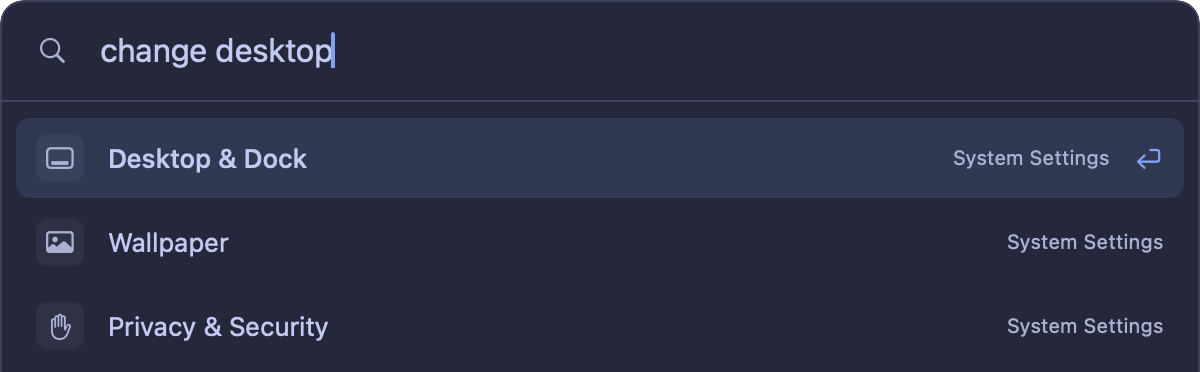
Press Control–Option–Space and type. Frog’s command bar searches applications, open windows, Spotlight filenames and macOS settings, calculates, converts units, finds emoji, and runs your writing rules and saved scripts. It can learn which result you pick for a query, and that learning stays in a private local file.
The tools people install launcher extensions for
- Clipboard history: the last 100 text items, searchable and pasted from the keyboard, kept in memory only.
- Window management: snap to edges and corners, Shift zones, 23 layouts and a Command–Tab style window switcher.
- Notes and snippets: Markdown notes that paste from the command bar with the date, time and clipboard filled in.
- Scripts: saved shell scripts you run from the command bar, with a timeout and clean shutdown.
- Writing rules and Explain: rewrite, proofread or ask about selected text in any app.
- System monitor, Stay awake, App cleaner and AI usage limits in the menu bar.
AI that runs on your Mac, or on the provider you pick
Writing rules, Explain and dictation can use models that run inside Frog on Apple silicon, so they work offline once downloaded. You can also connect Ollama, LM Studio, OpenAI, Claude or Gemini with your own key, or use the text models of an installed Claude Code, Codex or OpenCode. Each rule chooses its own model, and Frog has no subscription of its own.
Extensions: your agent builds them
Raycast and Alfred have large, mature extension stores, and that is where they are clearly ahead. Frog takes another route: describe the feature to Claude Code or Codex, and it builds a Frog plugin with its own page, menu-bar item, shortcuts or command-bar commands. Each plugin runs in a sandbox and only gets the permissions you approve. The plugin directory lists plugins other people shared.
Easy sync: your setup lives in plain text
Raycast syncs settings through its own cloud on Pro. Frog keeps your settings and rules in two readable text files, so you sync them for free with the dotfiles tool you already use, or export everything as one JSON file and import it on your next Mac. No Frog server ever sees them.
Switch from Raycast in three steps
- Download Frog and give the command bar a shortcut that doesn’t clash with Raycast, so both run side by side.
- Turn on only the tools you use in Features: clipboard, windows, notes, dictation. Everything else stays off.
- Connect a local model or your own API key for AI, then quit Raycast when you stop reaching for it.
Questions
Is Frog really free?
Yes. Frog is free and open source under the MIT license, with no account, subscription or telemetry. Cloud AI providers you connect yourself bill you directly.
Does Frog work on Intel Macs?
Yes, on macOS 14 or later. The built-in local models need Apple silicon; on Intel Macs you can use Ollama, LM Studio or a cloud provider for AI features.
Can Frog run Raycast extensions?
No. Frog has its own plugin format. Your coding agent can build a Frog plugin from a description, and the plugin directory lists ones people shared.
Is the source code available?
Yes, the full source is on GitHub at github.com/t1llo/frog, and every release is built from it.
Get the free Raycast alternative
Launcher, clipboard, windows, dictation and AI writing in one free download. No account, no Pro tier.